Vowkey reads your passport, ID, and documents once — alongside your logins, cards, and API keys — then fills every field across websites, PDFs, Word, Excel, and AI.
@vk:…, and Vowkey writes the real values locally.


Sensitive numbers stay masked until you need them. Click Fill on any form yourself, or approve in one click when an AI agent asks to fill a field.
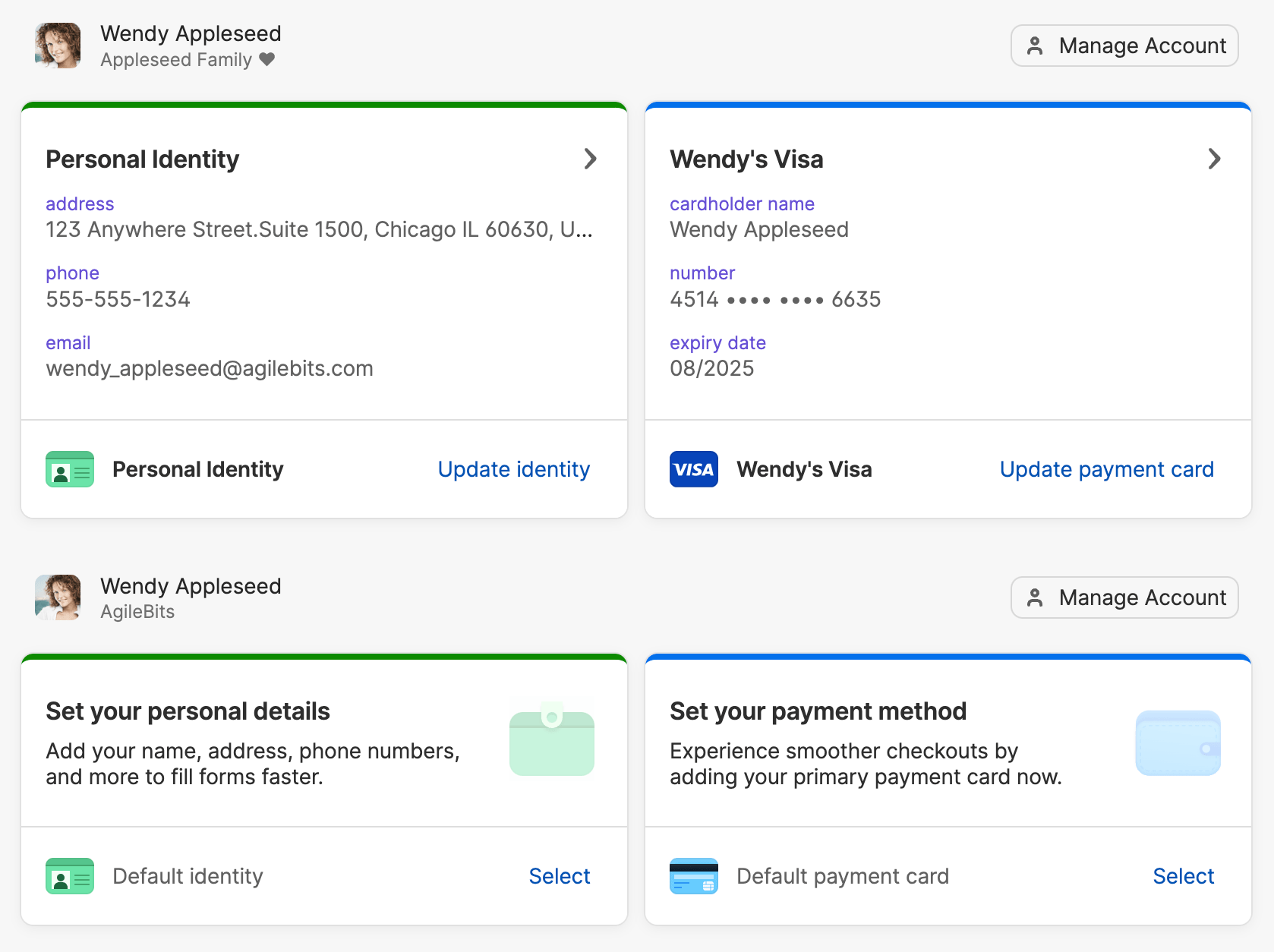
In 1Password, saving a passport or ID means typing each field into a blank template — while attached scans sit unread until you open and copy from them yourself.
Vowkey reads documents on your computer and verifies MRZ check digits automatically. Every saved detail links back to its blue highlight on the original scan.
Inline browser menus handle username, password, and basic contact inputs, but stop at split character boxes, imperial era dates (平成10年), half-width Katakana (グエン テイ リン), or Excel, Word, and PDF files.
Vowkey formats dates (YYYY-MM-DD, DD/MM/YYYY, 和暦), uppercase names, character grids, and half-width Katakana across websites, PDFs, Word docs, and Excel sheets.
| お名前(漢字)必須 | Full name阮 氏玲在留カード |
| 生年月日(和暦)必須 | DOB → Era平成10年3月14日在留カード |
| 口座名義(半角カナ)必須 | Holder → Half-widthグエン テイ リン通帳 |
Quick Access is designed for copying values yourself, with no way for Claude Code or Codex to fill a sensitive field without seeing the value.
Each detail has its own rule (Fill without asking, Ask first, or Don’t fill). When Claude Code needs a pension or ID number, Vowkey pauses for your click on Allow once.
| What you need to fill | Chrome / Safari Autofill | 1Password / Bitwarden | Vowkey |
|---|---|---|---|
| Passwords, Passkeys & 2FA codes | Basic passwords | ✓ Full support | ✓ Full support (1-click import) |
| Credit Cards, Name, Email & Phone | ✓ Basic web inputs | ✓ Basic web inputs | ✓ Full support |
| Saves details from your PDFs & ID photos automatically | No — manual typing only | No — you must type every field into the vault by hand | ✓ Drop a PDF or photo once — Vowkey reads it on your device |
| Fills the other 80% of forms (Passport/ID No., Expiry, Tax ID, Bank Routing, Visa) | Leaves blank | Leaves 70–80% of fields blank on real forms | ✓ Fills every matching field in 1 click |
| Fills inside PDF, Word (.docx) & Excel (.xlsx) files | Browser HTML only | Browser HTML & login boxes only | ✓ Fills PDFs, Word docs & Excel sheets in place |
| Let Claude, ChatGPT & coding agents fill forms & API keys | Must paste private info into chat | No @vk: value-blind form fill |
✓ AI tags @vk:…; Vowkey fills locally so AI never sees your data |
Claude, Codex, or another AI agent can ask Vowkey to fill by reference. Vowkey's tools return what was filled, not your saved values.
Opening Vowkey on your computer registers your local agent host automatically. Claude Desktop, Claude Code, Codex, and Cursor connect without manual tokens.
Your AI agent inspects blank form labels and maps @vk: references across up to 200 fields at once. Vowkey writes the real details on your device.
Coding agents sync @vk: templates and run commands through vowkey run so raw keys stay out of prompts and terminal logs.
Vowkey
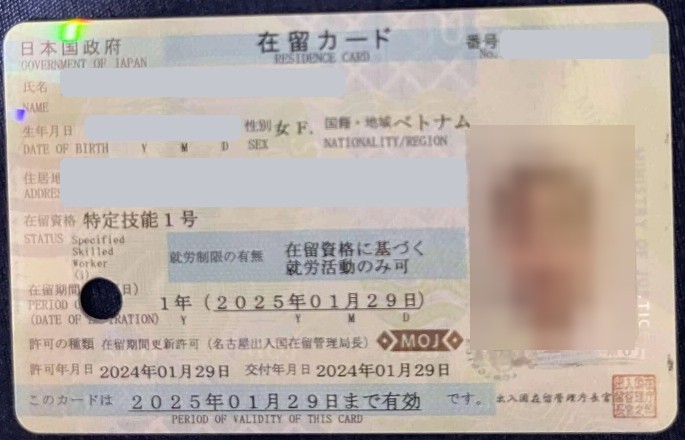
Residence Card 在留カード
Dropped into Vowkey once
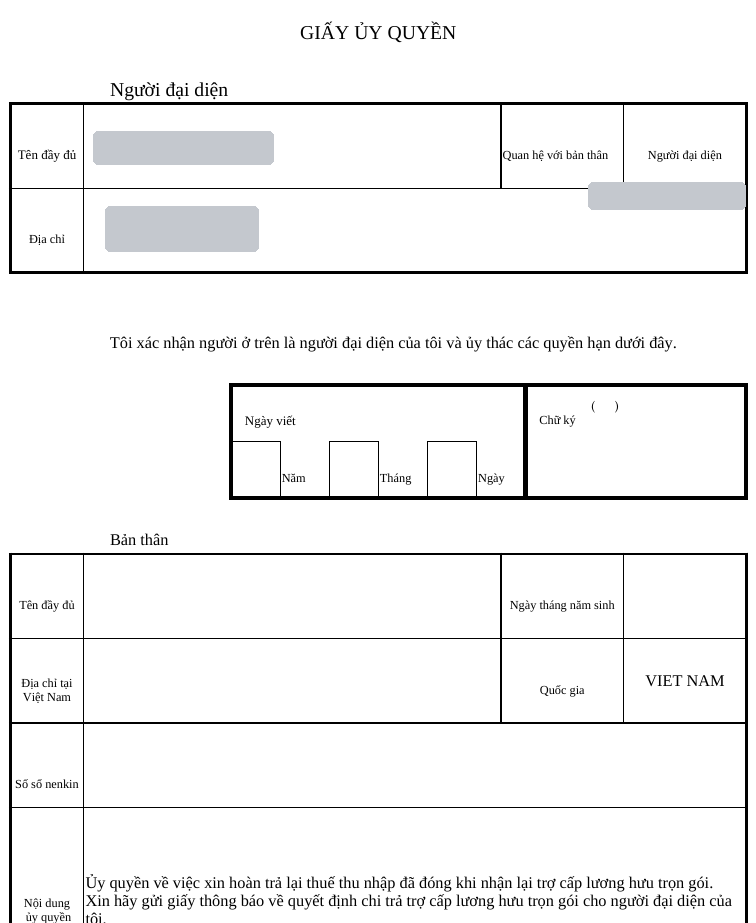
Power of Attorney 委任状.xlsx
Filled into Excel cells
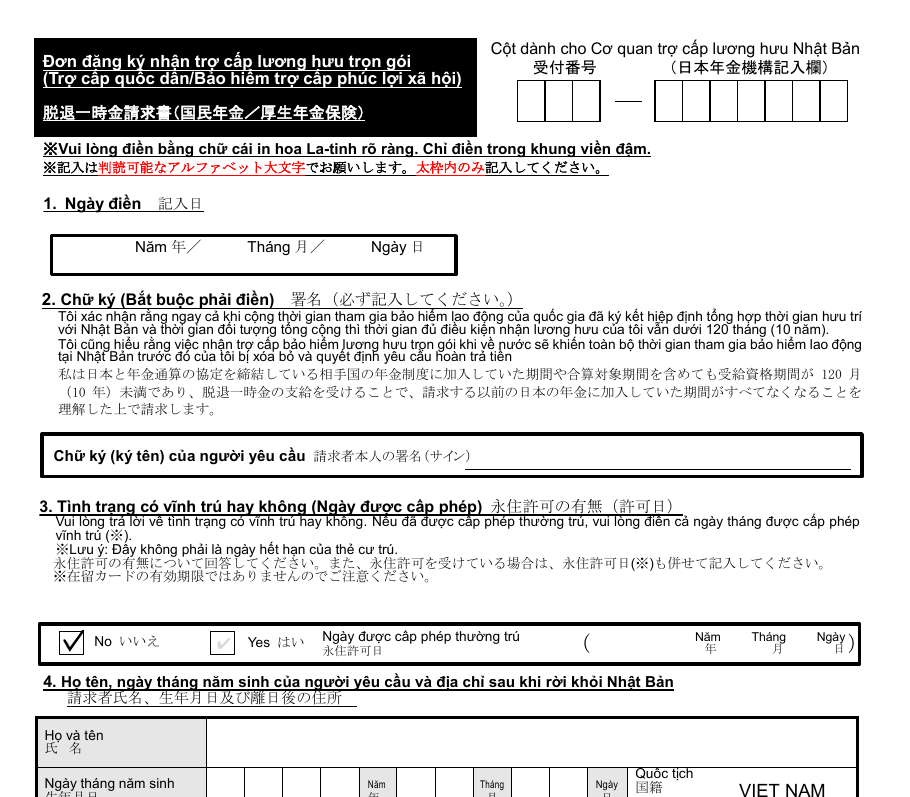
Pension Claim 脱退一時金請求書.pdf
Filled into official PDF boxes
@vk: Preview
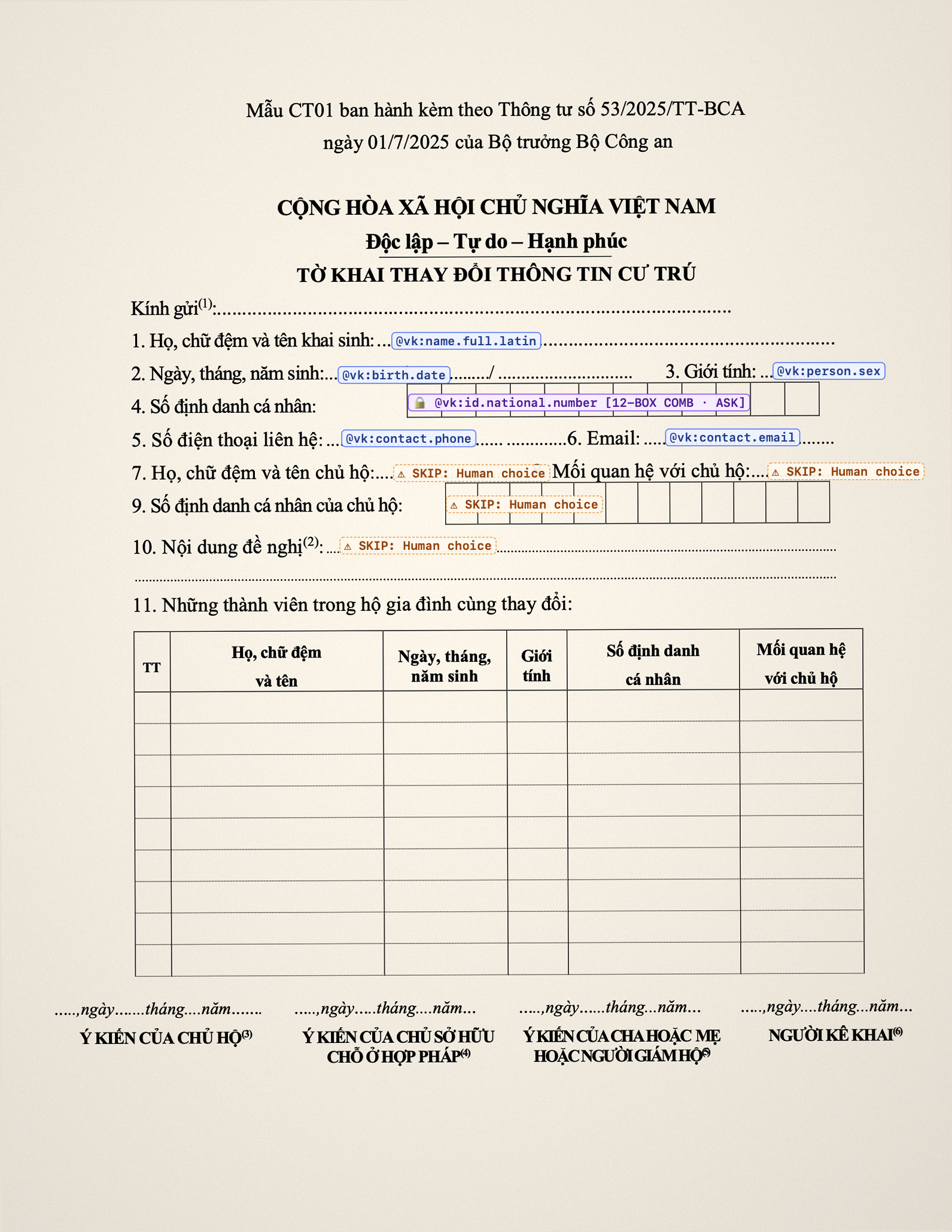
Even when a form is only a phone photo of a printed sheet on a desk, your AI agent maps the blank boxes to @vk: handles and Vowkey places each character cleanly into the grid.
Documents are read on your computer by default.
Passports, IDs, PDFs, and spreadsheets are read directly on your Mac or PC. Nothing leaves your computer when reading a document or filling a form.
// Document reading & form matching run on this device.
// Turn off Wi-Fi at any time to verify.
{
  "vaultUnlock": "local_biometric_or_password",
  "documentReader": "on_device_ocr_and_mrz",
  "outboundRequests": []
}
Yes. Import your saved logins and cards in seconds, and use Vowkey right alongside your current setup or as your main vault across every browser and file.
No. AI agents only receive item IDs, field labels, and @vk: handles. Sensitive fields ask first: click Allow once or Always allow on this site before Vowkey fills.
Yes. Store separate profiles for yourself, your spouse, or client folders, and switch whose details Vowkey fills in one click.
Never. Vowkey fills matching fields, marks close calls, lists what needs you, and leaves review, signatures, and submission to you.
Includes Vowkey.app, floating Quick Bar, website and PDF/Office filling, on-device document reading, and automatic vowkey-mcp pairing.
Includes Vowkey.exe, system tray Quick Bar, website and Office/PDF filling, and automatic browser & MCP setup.
Portable archive (.tar.gz) with Vowkey Desktop, Quick Bar, on-device document reader, and vowkey-mcp.
Fills logins, passkeys, cards, profiles, and multi-section web forms in one click inside Chromium browsers.
Pairs with Vowkey Desktop automatically so AI agents fill forms via @vk: handles and run scripts via vowkey run.
Everything one person needs: logins, cards, and documents in one vault, filling everyday forms.
vowkey-mcp pairing for your AI agents, includedOne household vault for up to six people, each with their own logins, cards, and documents.
For HR, accounting, legal, and visa teams filling forms across many client profiles.
.xlsx, .pdf & .docx packetsExtra storage and a monthly Hosted Agent allowance are optional add-ons on any plan, configurable when paid plans open.
Your macOS download has started — or choose another platform below.
Includes Vowkey.app, floating Quick Bar, website and PDF/Office filling, on-device document reading, and automatic vowkey-mcp pairing.
.dmg, Windows .zip, or Linux .tar.gz and launch Vowkey.
Drop a 1Password (.1pux or .csv), Chrome (.csv), or Bitwarden (.json) export to check your item counts on this device before importing.